

LuciQA · macOS / Windows / Linux
Capture. Ask. Verify.
Select a question on your screen, ask the AI provider you choose, and compare answers when it matters.
Provider charges and quotas are separate from LuciQA.
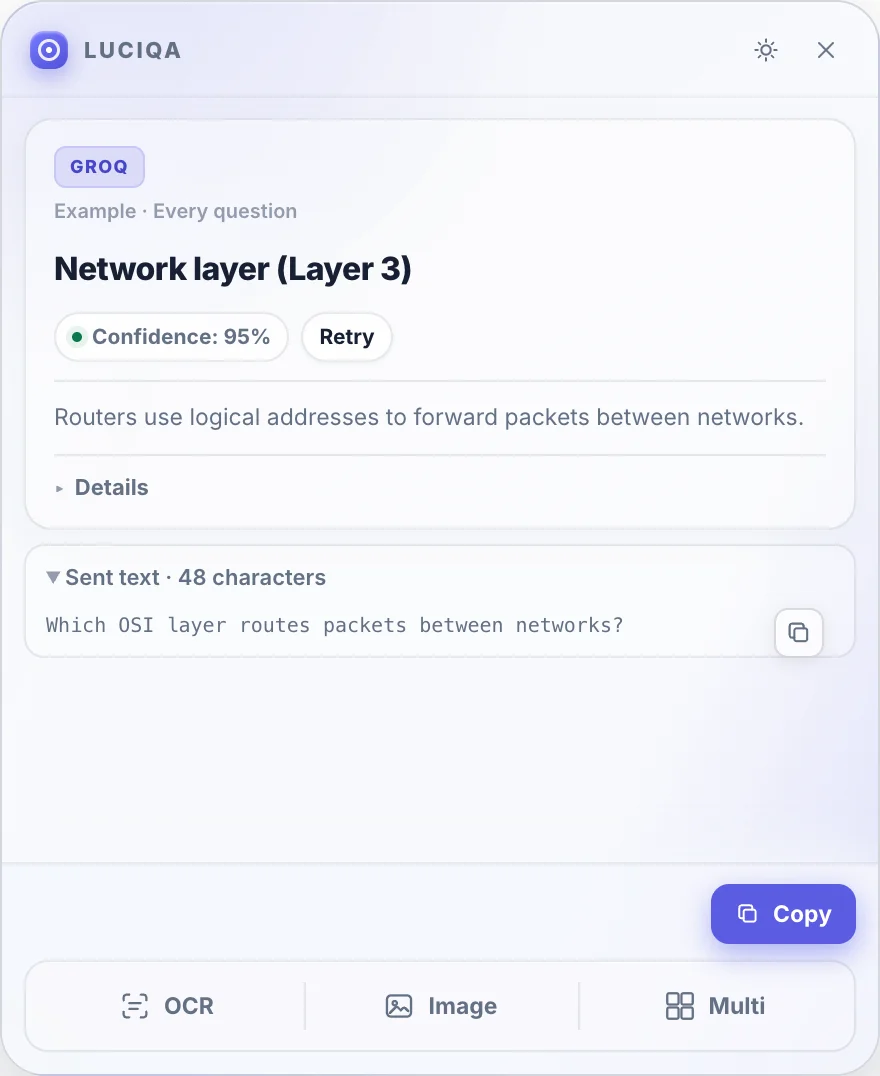
01 / See how it works
From the screen to an answer
Select the part of your screen that holds the question. LuciQA keeps the capture and response in one desktop workflow.
Capture
Choose a region instead of saving and uploading a screenshot.
Ask
Use local OCR for clear text, or send the crop as an image when the diagram matters.
Verify
Read the answer where you work. With Pro, compare independent provider results when you need another view.
02 / BYOK
Your providers. Your keys.
Connect the providers you already use. LuciQA sends selected content directly to them and does not resell AI credits or relay requests through its own server.
Your keys are saved in local app settings. Secure OS credential storage is required to use them.
View all providers03 / OCR / Image
Text when it is text. Image when it is visual.
OCR runs on your device using English and Turkish recognition data. For formulas, charts and diagrams, Image mode preserves the selected visual region. Either way, review what you send.
- FreeOne provider. Text and image questions. No LuciQA question limit.
- ProUp to 3 devices · Multi · Compare answers
04 / Download
Download
Find LuciQA installers and system requirements for macOS, Windows, and Linux.
macOS
13+ · Apple Silicon
Windows
10+
Linux
64-bit desktop
Current release is not published yet. We are preparing signed installers for each platform.
05 / Multi · Pro
Several questions, one reviewed capture.
Pro Multi suggests up to 12 question regions from a page. Move or resize the boxes, choose OCR or Image for each, then send them as separate requests. Two questions run at a time.
Features →06 / Privacy and data
A clear data path
API keys live in local app settings with OS secure storage. Selected text, images and any Pro document or instruction go directly to your configured AI providers. Their policies and costs apply.
Privacy and data →LuciQA
Start with one question.
Select a question on your screen, ask the AI provider you choose, and compare answers when it matters.